MOOLO Ticketing
Give every customer request an owner.
A good support experience starts with knowing who is handling the request and what happens next. MOOLO Ticketing turns incoming customer issues into organized work your team can follow, prioritize and resolve together.
Ticketing
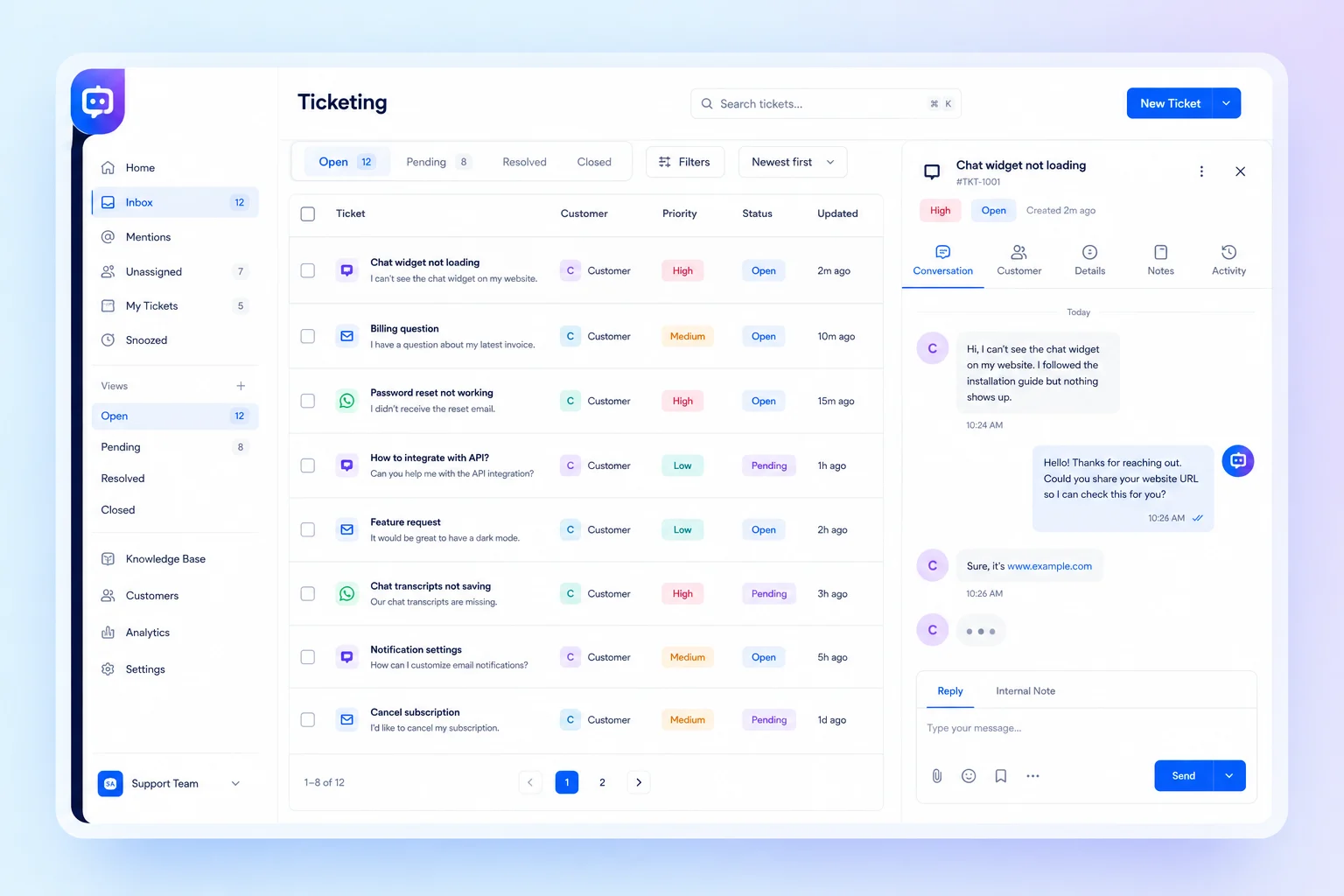
Keep the conversation with the request · Interface illustration
Ticketing
Less friction. A clearer customer experience.
When support lives in scattered messages, customers repeat themselves and colleagues spend time finding context. A shared ticket record gives each request a status, a priority and a clear place in the team’s workload.
Ticketing: What you can do
Keep the conversation with the request
Follow the issue from its original description through subsequent replies. A colleague taking over can review the request instead of asking the customer to start again.
Make responsibility visible
Assign requests and distinguish urgent work from routine follow-up. Clear ownership helps the team decide where to focus without relying on an informal promise in a chat.
Follow progress through resolution
Use ticket status to understand what is new, in progress or complete. Review ongoing requests in a shared workspace so follow-up remains visible as the support queue grows.
Who it is for
For customer service teams, agencies and businesses handling product questions, account issues or service follow-up. Choose Ticketing when a request needs a documented resolution rather than a quick informal reply.
A practical example
A customer reports a service issue. Your team creates a ticket, assigns the appropriate colleague and sets its priority. The colleague follows up in the ticket, while a related internal action can be organized in Tasks.
Getting started
- 1
Collect customer requests
- 2
Assign owners and priorities
- 3
Follow through to resolution
Ticketing: Frequently asked questions
Is this a system for selling event tickets?
This page describes customer support ticketing: managing requests, replies and resolutions. Event ticket sales are a different business process and are not the capability presented here.
How are tickets different from tasks?
A ticket follows a customer request and its conversation. A task organizes work to be done. Use Ticketing for the support relationship and Tasks to plan internal actions with owners and due dates.
How do I choose the right configuration?
Start with the workflow your team wants to improve, then discuss the modules and plan that fit it. Available features depend on your subscription and workspace configuration. Contact our team for a walkthrough of your use case.
MOOLO Ticketing
Make this part of the way your team works.
Tell us what you want to improve. We can walk through the relevant module and help you understand how it fits your customer operations.