MOOLO Tasks
Turn “we should” into work that gets done.
Customer promises, campaign preparation and internal projects all need a next action. MOOLO Tasks gives your team a place to define that action, assign it and follow progress without losing sight of the wider project.
Tasks
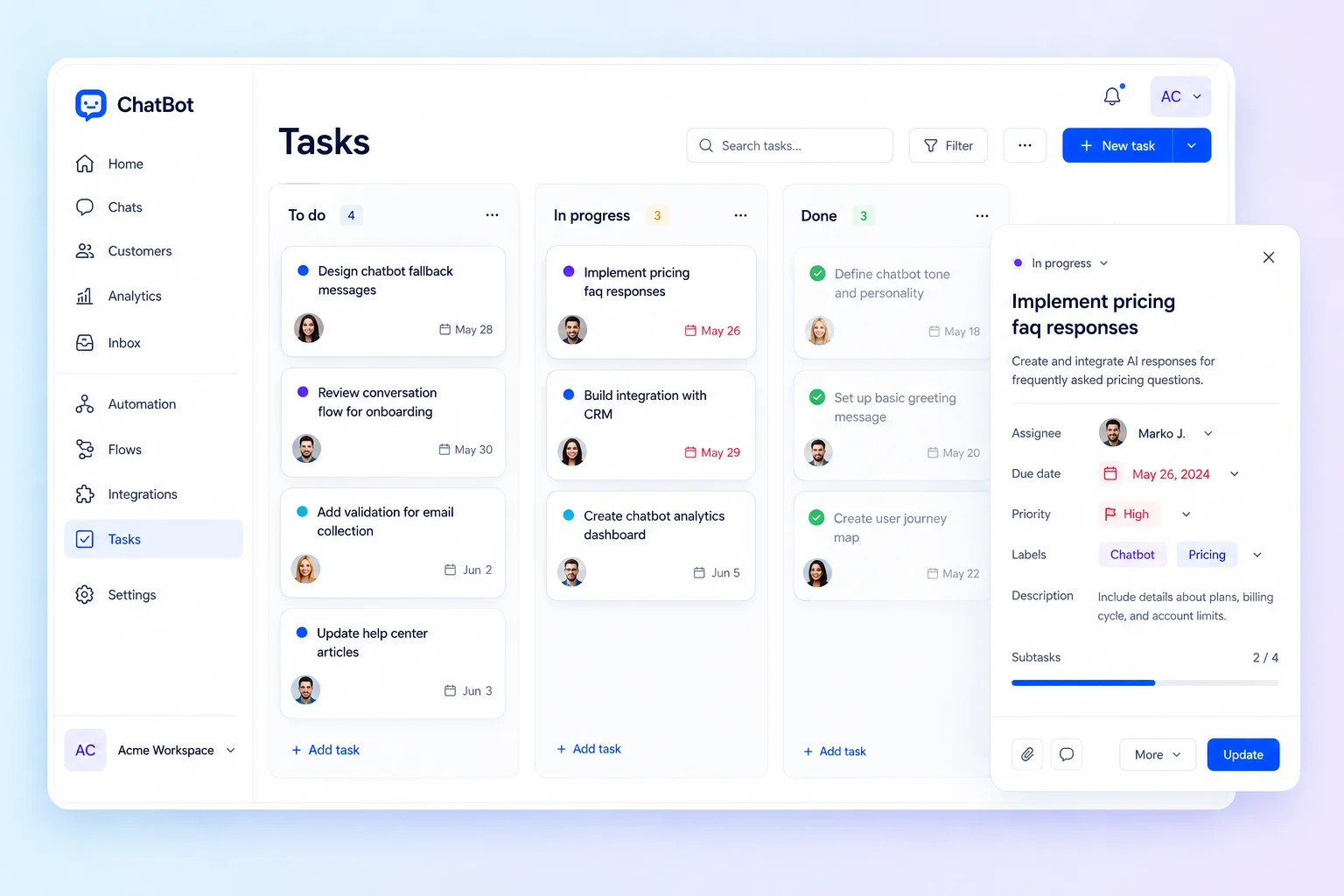
Choose the view that fits the work · Interface illustration
Tasks
Less friction. A clearer customer experience.
When action items stay in messages or personal notes, the team cannot easily see what is blocked or due next. Shared task management makes work explicit: what needs doing, who owns it and when it should be completed.
Tasks: What you can do
Choose the view that fits the work
Use a board to follow work through its stages, a list to scan individual tasks or a timeline to understand dates. Different views let the same team approach its work from the right perspective.
Make the next action specific
Add an owner, due date and priority to each task. Clear expectations help colleagues act without another meeting to determine who was supposed to handle the work.
Bring team work into a shared project
Organize related tasks by project and team. Keep your own workload visible while maintaining the shared picture of work to do, work in progress and completed actions.
Who it is for
For small teams, agencies and customer-facing operations that coordinate work across people. Use it for campaign preparation, customer onboarding, internal follow-up or a shared project with several delivery steps.
A practical example
Before sending a newsletter, create tasks for copy review, audience selection and a final test. Assign each action, set the due dates and move the work forward on the board before the campaign is sent.
Getting started
- 1
Create and organize tasks
- 2
Set owners and due dates
- 3
Keep the team up to date
Tasks: Frequently asked questions
Can I switch between board and list views?
Yes. Tasks supports board, list and timeline views, so you can choose how to review the work without creating a separate task collection for each view.
Can Tasks replace customer support tickets?
They serve different needs. Tasks plans internal work; Ticketing follows customer requests and replies. Use both when solving a customer issue also requires coordinated work behind the scenes.
How do I choose the right configuration?
Start with the workflow your team wants to improve, then discuss the modules and plan that fit it. Available features depend on your subscription and workspace configuration. Contact our team for a walkthrough of your use case.
MOOLO Tasks
Make this part of the way your team works.
Tell us what you want to improve. We can walk through the relevant module and help you understand how it fits your customer operations.