MOOLO CRM
Know the customer behind the next conversation.
Customer relationships are built across many small interactions. MOOLO CRM gives your team a shared place for contact details, customer information and notes, so the next person to follow up does not have to start from an empty page.
CRM
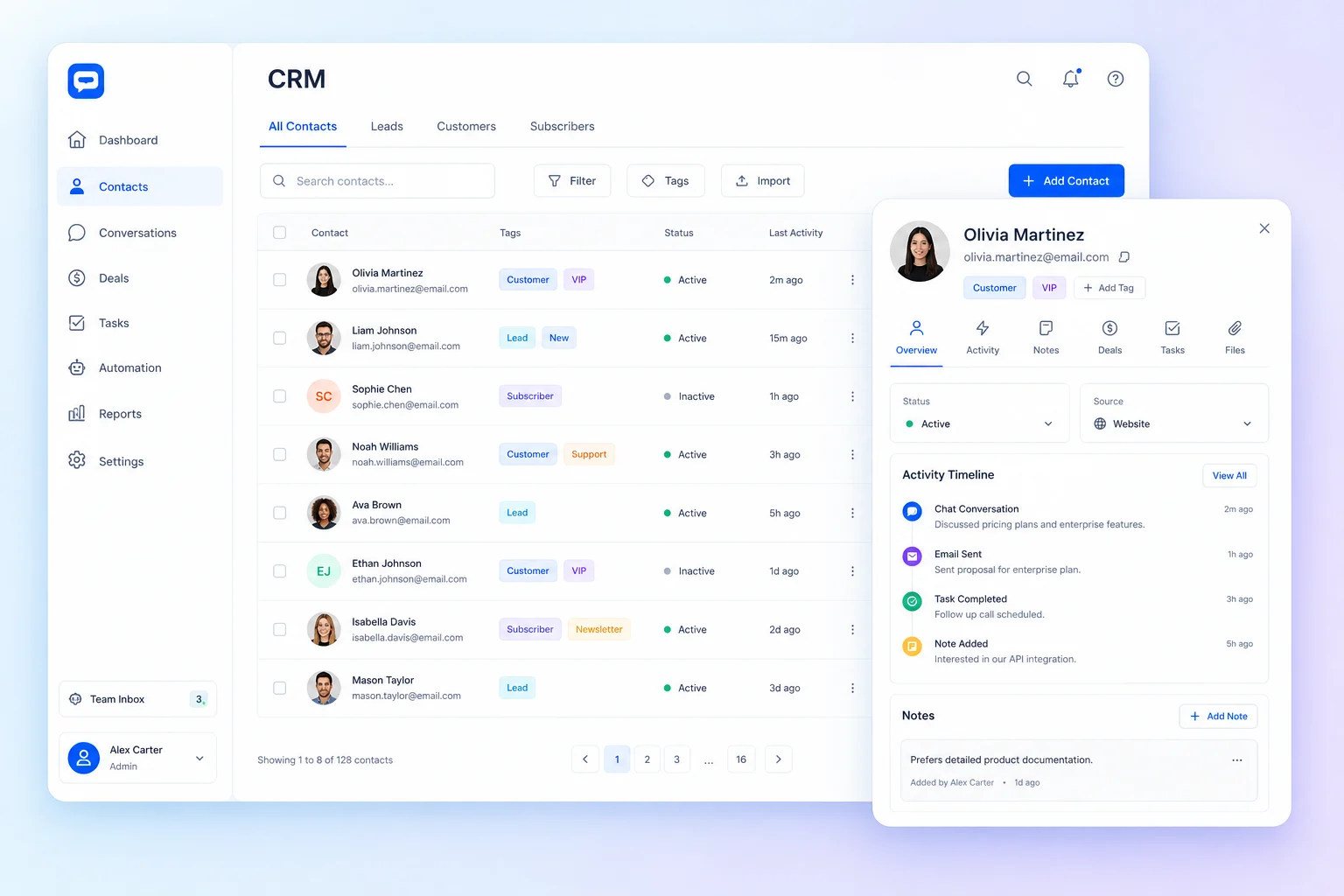
Customer information in one place · Interface illustration
CRM
Less friction. A clearer customer experience.
Contact details in one spreadsheet and follow-up notes in another make it difficult to work as a team. Centralized customer records reduce the time spent searching and give your business a more consistent basis for service and communication.
CRM: What you can do
Customer information in one place
Keep names, email addresses, phone numbers, company details and notes together. A useful customer profile helps colleagues prepare a conversation and maintain continuity when responsibility changes.
Find the right contacts with tags and filters
Organize contacts with tags and filter the customer list by the available criteria. Spend less time scrolling through a growing database and more time working with the group relevant to your next action.
A working customer base for your team
Bring existing contact data into your workflow with supported CSV import and maintain the records as relationships evolve. Use the CRM alongside newsletters, tasks and support instead of treating it as a static address book.
Who it is for
For service teams, agencies and growing businesses that need a shared customer record. Particularly useful when more than one colleague handles a relationship or when contact groups need different kinds of follow-up.
A practical example
Import your existing customer list, review the details and apply tags that reflect your services. Before a follow-up call, a colleague checks the profile and notes, then organizes the next action in Tasks or prepares the appropriate newsletter audience.
Getting started
- 1
Centralize customer profiles
- 2
Organize contacts and segments
- 3
Follow every customer relationship
CRM: Frequently asked questions
Can I bring my existing contacts into the CRM?
Yes. The customer management interface supports CSV import. Review the supported columns and your data before importing, then check the resulting records so your team starts from accurate information.
Does a CRM contact automatically become a newsletter subscriber?
Customer records and newsletter subscription preferences serve different purposes. Maintain the relevant subscription choice and check the campaign audience; having a contact’s address is not by itself a reason to add it to every marketing send.
How do I choose the right configuration?
Start with the workflow your team wants to improve, then discuss the modules and plan that fit it. Available features depend on your subscription and workspace configuration. Contact our team for a walkthrough of your use case.
MOOLO CRM
Make this part of the way your team works.
Tell us what you want to improve. We can walk through the relevant module and help you understand how it fits your customer operations.