MOOLO Vitrine
Give your business a place to be understood.
A visitor should understand what you offer, who it is for and how to take the next step. MOOLO Vitrine helps you bring that story together in a website with your own pages, content and visual identity.
Vitrine
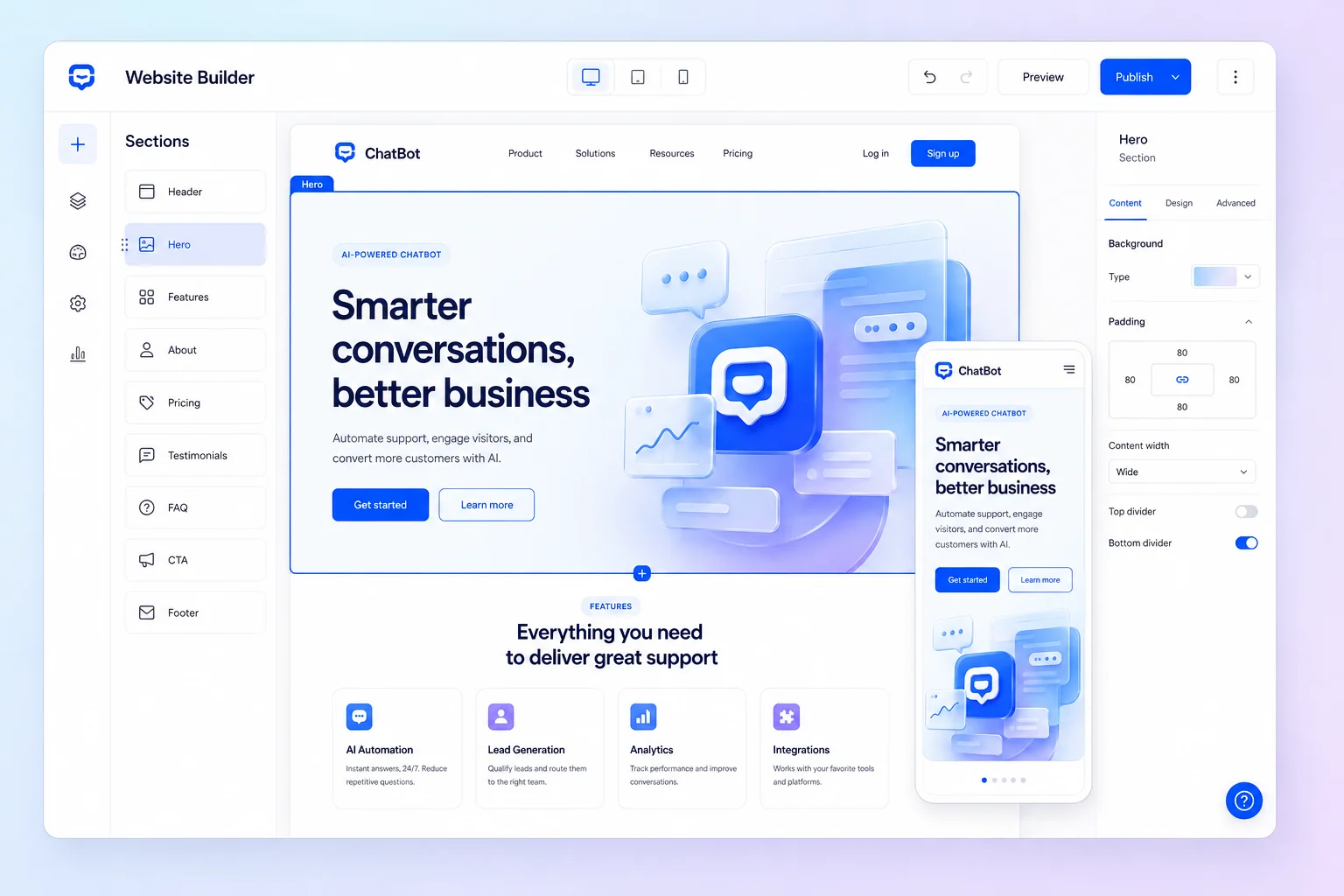
Pages built around your offer · Interface illustration
Vitrine
Less friction. A clearer customer experience.
A social profile or a collection of links rarely tells the whole story of your business. A structured showcase website gives prospects a reliable destination where services, company information and contact options belong together.
Vitrine: What you can do
Pages built around your offer
Create pages for your company, services and contact details. Give each page one clear purpose so visitors can explore the business without searching through an overloaded homepage.
A consistent visual identity
Customize page sections, colors and content around your brand. Preview the result before publishing so the website feels like one business rather than a collection of unrelated pages.
Clear next steps for interested visitors
Link the service description to a booking page, contact route or helpful FAQ. Your website becomes the starting point for a customer relationship, with the next action placed where it makes sense.
Who it is for
For service businesses, independent professionals and agencies that need a clear online presentation. Ideal when your priority is explaining an offer and receiving enquiries rather than building a full product checkout journey.
A practical example
An agency creates separate pages for its services and a contact page, then adds a booking link for discovery calls and a FAQ explaining how projects begin. The website answers early questions while giving a motivated prospect a practical next step.
Getting started
- 1
Build your website pages
- 2
Customize your brand and sections
- 3
Preview and publish your website
Vitrine: Frequently asked questions
How is a showcase website different from a store?
A showcase website explains your company and services and guides visitors toward contact or booking. A store adds product selection, cart and checkout. This page focuses on the showcase website experience.
Can I include Booking and FAQ links?
Yes. Link the relevant website sections to the booking page and help center you publish. This gives visitors a route from discovering your service to getting answers or arranging a conversation.
How do I choose the right configuration?
Start with the workflow your team wants to improve, then discuss the modules and plan that fit it. Available features depend on your subscription and workspace configuration. Contact our team for a walkthrough of your use case.
MOOLO Vitrine
Make this part of the way your team works.
Tell us what you want to improve. We can walk through the relevant module and help you understand how it fits your customer operations.