MOOLO Emailing & Newsletters
Keep the relationship going after the first visit.
A useful newsletter gives customers a reason to hear from you again. Bring newsletter design, subscriber management and campaign sending into one workflow, so your team can focus on the message and the audience it is meant to help.
Emailing & Newsletters
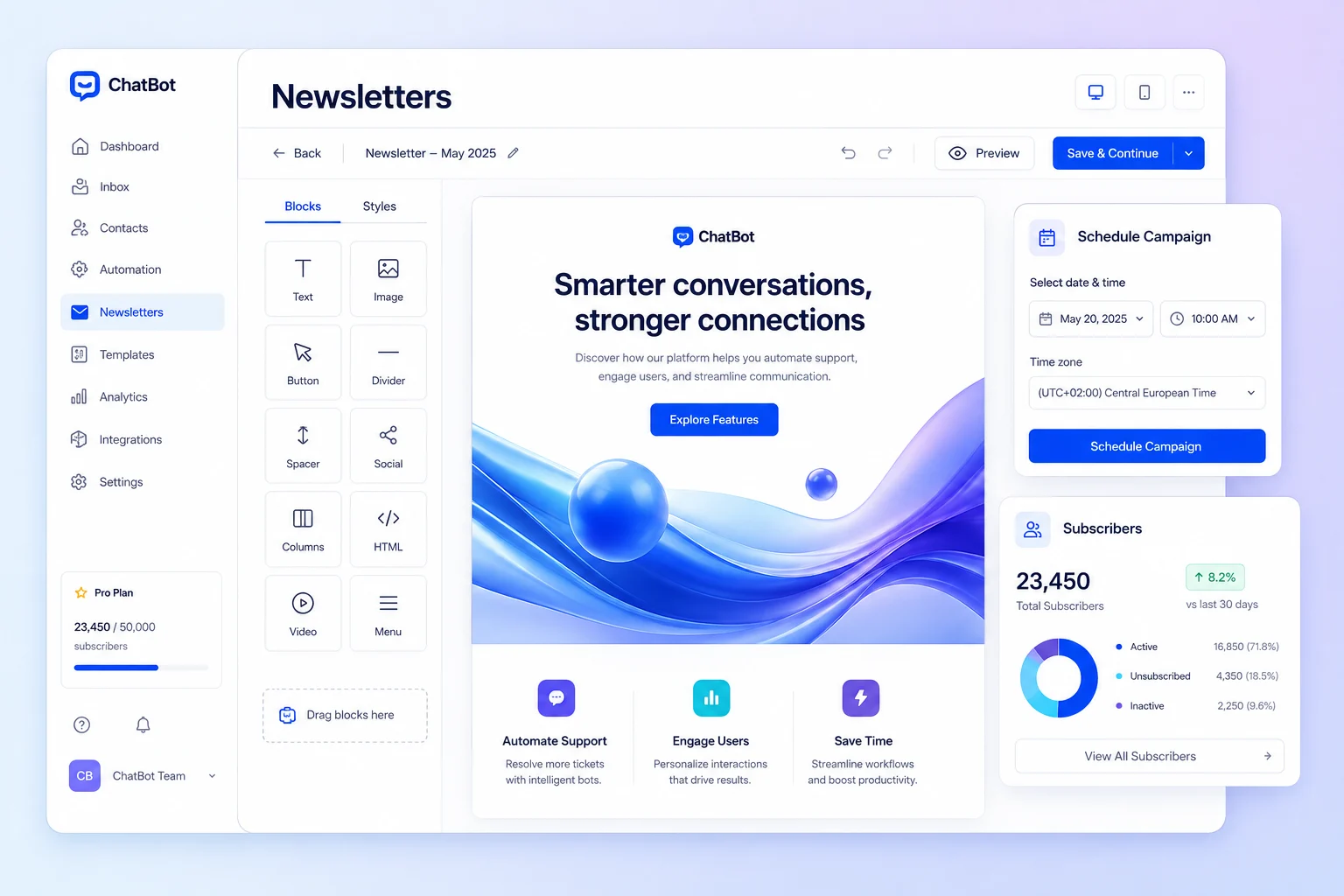
Design emails that express your brand · Interface illustration
Emailing & Newsletters
Less friction. A clearer customer experience.
Writing an email is only one part of a campaign. You also need the right audience, a reliable preparation process and a way to review what happened. Keeping these steps together makes recurring communication easier to manage and improve.
Emailing & Newsletters: What you can do
Design emails that express your brand
Use the newsletter editor and templates to prepare your content. Review the message and its presentation before sending, and keep a draft while your team finishes the campaign.
Choose an audience with a reason to listen
Manage subscribers and use the available audience targeting to prepare a relevant send. Check the recipient audience before launch rather than treating every contact as a suitable recipient for every message.
Plan the send and learn from the result
Save a draft, send when ready or schedule a campaign. Review the campaign reporting, including available link activity, to understand what deserves a follow-up or a different approach next time.
Who it is for
For teams sharing product news, service updates, educational content or ongoing customer newsletters. It suits businesses that want repeatable campaign preparation alongside their CRM and daily customer operations.
A practical example
Prepare a newsletter introducing a new service. Choose the relevant subscriber audience, include a link to its Vitrine page and schedule the send after review. Use the report to decide which content to develop in your next campaign.
Getting started
- 1
Design your newsletters
- 2
Manage subscribers and audiences
- 3
Send campaigns and review results
Emailing & Newsletters: Frequently asked questions
Can I schedule a newsletter for later?
Yes. Campaign preparation supports draft, immediate send and scheduled send modes. Check your audience and content before choosing the appropriate sending time.
Does sending guarantee inbox placement?
No platform can guarantee inbox placement. Sender authentication, reputation, recipient consent and message quality matter. Use the available domain and warm-up tools as part of a careful sending process.
How do I choose the right configuration?
Start with the workflow your team wants to improve, then discuss the modules and plan that fit it. Available features depend on your subscription and workspace configuration. Contact our team for a walkthrough of your use case.
MOOLO Emailing & Newsletters
Make this part of the way your team works.
Tell us what you want to improve. We can walk through the relevant module and help you understand how it fits your customer operations.