MOOLO Booking
Turn interest into a booked appointment.
Your customer is ready to talk. Give them a clear next step: a dedicated booking page with your services and available time slots. MOOLO Booking brings appointment scheduling into the same workspace as your customer conversations.
Booking
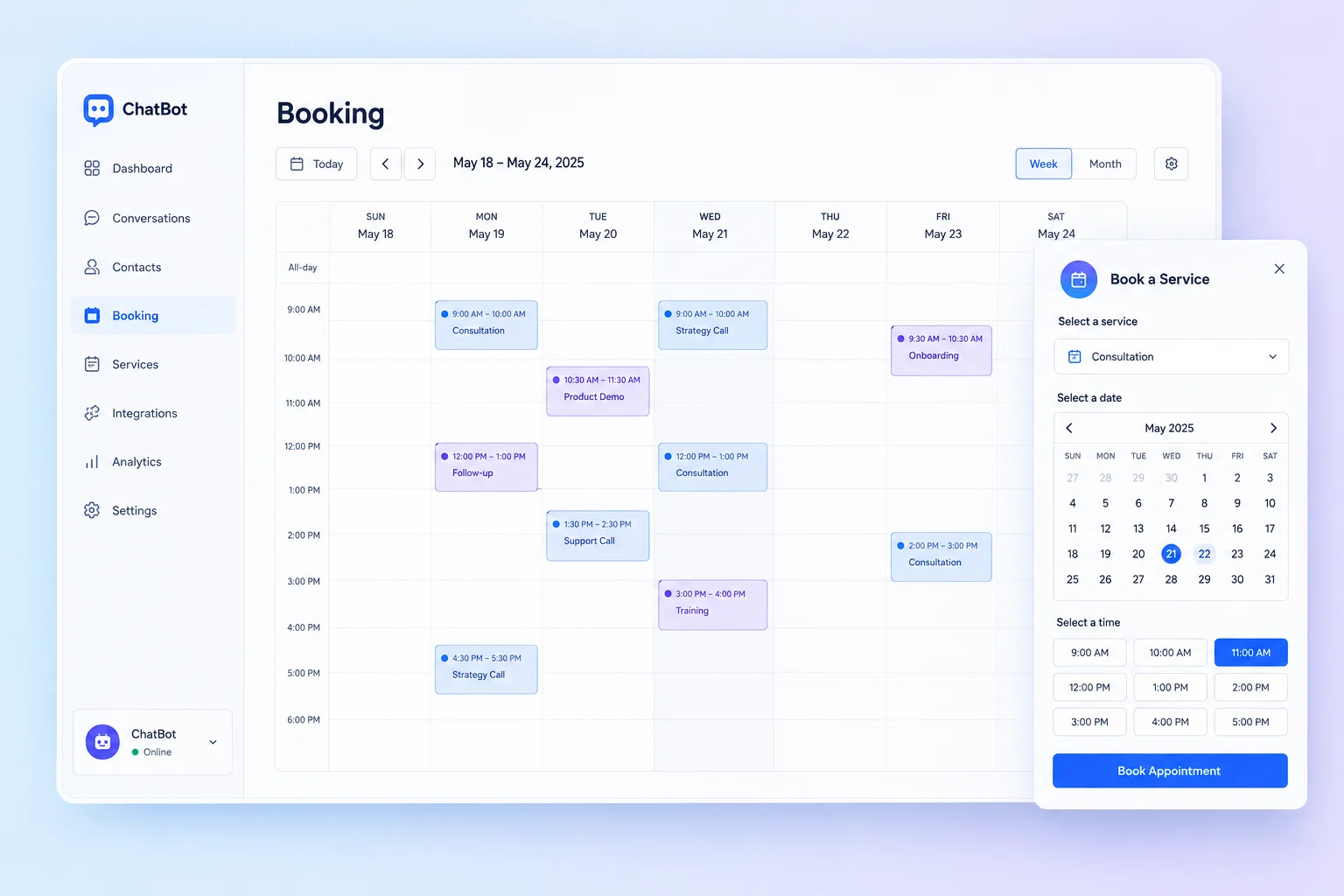
A dedicated page for your services · Interface illustration
Booking
Less friction. A clearer customer experience.
Every email asking “Does Tuesday work?” adds another step between a visitor and your service. A clear booking journey helps customers understand what they can book and when, while giving your team a consistent place to organize appointments.
Booking: What you can do
A dedicated page for your services
Present the service before asking for a commitment. Share a booking link from your website, a customer conversation or an email so visitors arrive with a clear idea of the next step.
Availability your customers can use
Define bookable time slots around the way your business operates. Customers choose from the availability you publish instead of negotiating times across several messages.
A shared view of upcoming appointments
Manage bookings in your workspace and use the supported calendar connection to work with your existing schedule. Keep appointment organization close to the people handling customer requests.
Who it is for
Built for consultants, agencies and service teams that book discovery calls, demonstrations or customer appointments. It is especially useful when several people need to understand the same booking process.
A practical example
A prospect reads about your service on your Vitrine website, opens the booking link and selects a published time slot. Your team reviews the appointment in Booking and prepares the conversation using the customer information already available in the workspace.
Getting started
- 1
Present your services
- 2
Set available time slots
- 3
Share your booking page
Booking: Frequently asked questions
Can I share a booking page without a full website?
Yes. Share the dedicated booking link directly in an email or conversation. A showcase website can provide more context, but customers can reach the booking page through its own link.
Who decides which times can be booked?
Your team defines the service availability. Customers choose from the published time slots, so the booking experience follows the schedule you configure.
Can Booking work alongside my other MOOLO modules?
Yes. You can link to Booking from your website and customer communications and manage it in the same platform as CRM and Tasks. Available calendar connections and features depend on your workspace configuration and plan.
How do I choose the right configuration?
Start with the workflow your team wants to improve, then discuss the modules and plan that fit it. Available features depend on your subscription and workspace configuration. Contact our team for a walkthrough of your use case.
MOOLO Booking
Make this part of the way your team works.
Tell us what you want to improve. We can walk through the relevant module and help you understand how it fits your customer operations.